Washing machines have become indispensable appliances in modern households, offering convenience and efficiency in managing laundry tasks. At the heart of these machines lies the control panel, a crucial component that governs the machine's operations. However, like any electronic device, washing machine control panels can encounter issues that disrupt their functionality. Understanding how to troubleshoot and repair these control panels is essential for maintaining the appliance's performance and extending its lifespan. This article delves into the essential skills and techniques required to effectively troubleshoot and repair washing machine control panels, ensuring your appliance remains reliable and efficient.
Understanding Washing Machine Control Panels
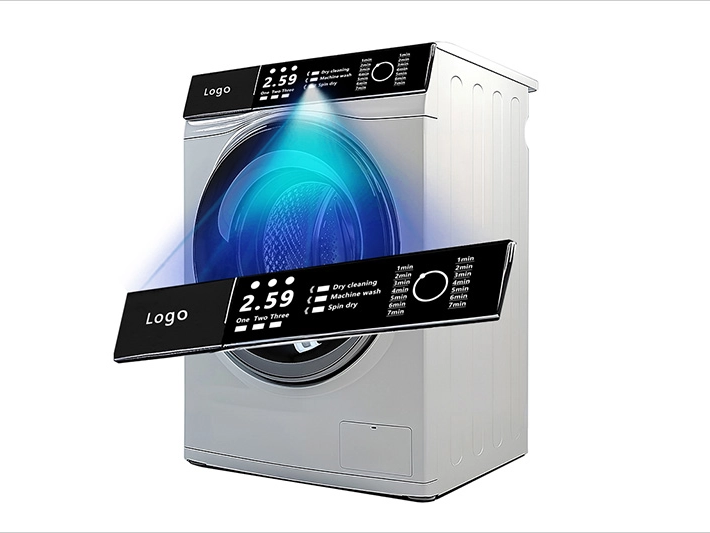
Components of a Washing Machine Control Panel
A washing machine control panel typically comprises several key components, including:
1. Buttons and Switches: Physical or touchscreen controls that allow users to select wash cycles and settings.
2. Display Screen: Visual interface that provides information about the current cycle, time remaining, and error messages.
3. Circuit Board: The brain of the control panel, managing inputs from buttons and controlling the machine's functions.
4. Sensors: Devices that monitor parameters like water temperature, load size, and detergent levels.
5. Power Supply: Provides the necessary electrical power for the control panel and other components.
How Control Panels Function
Control panels interpret user inputs and translate them into actions performed by the washing machine. When a user selects a wash cycle or adjusts settings, the control panel communicates with the machine's motor, pump, and other components to execute the desired operations. Advanced control panels may also offer smart features, such as app connectivity and remote monitoring, enhancing the user experience.
Common Types of Control Panels
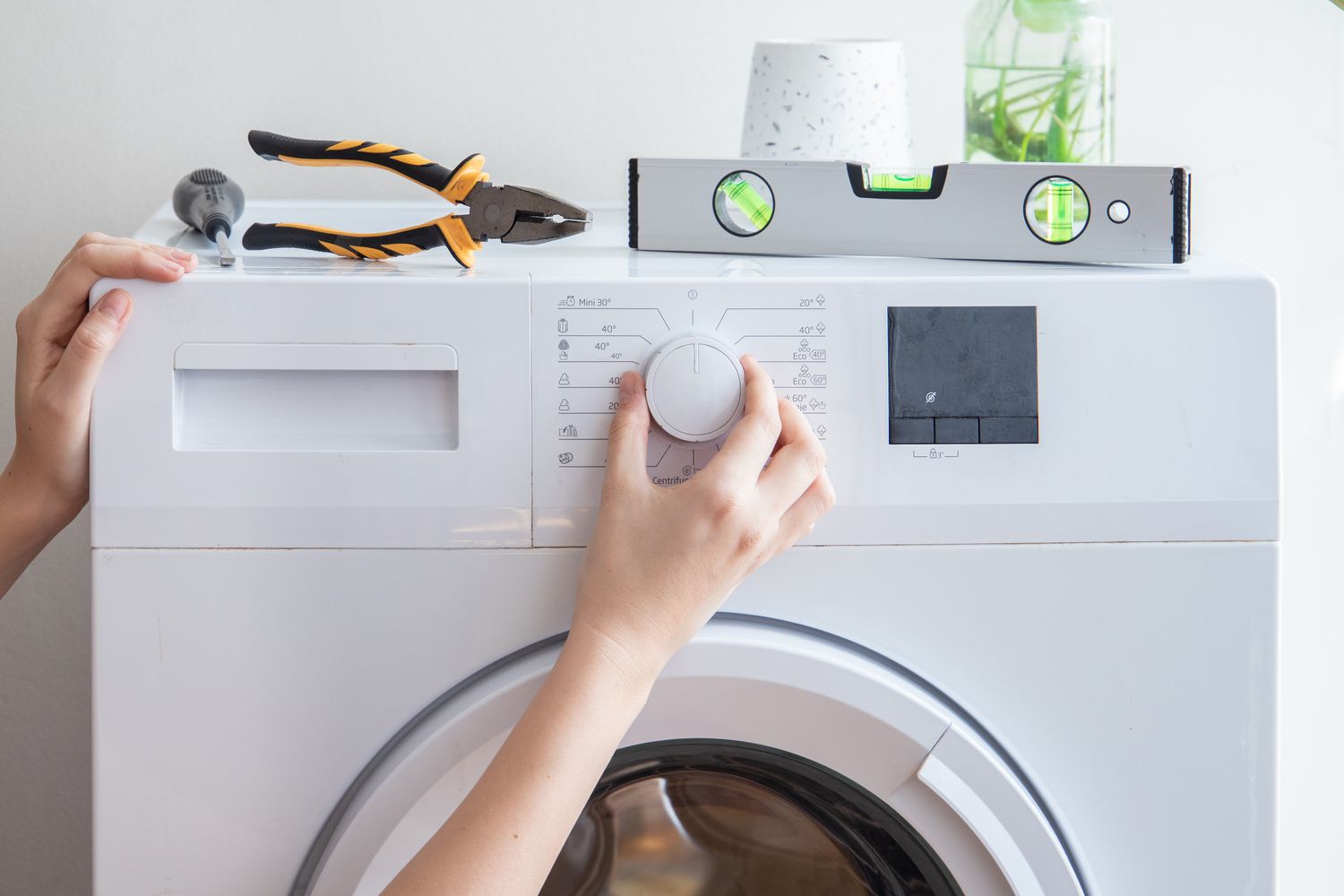
1. Mechanical Control Panels: Utilize physical knobs and switches for selecting wash cycles and settings.
2. Electronic Control Panels: Feature digital displays and buttons, offering more precise control over washing parameters.
3. Touchscreen Control Panels: Provide an interactive interface with touch-sensitive screens, enabling easy navigation and customization of wash cycles.
Common Problems with Washing Machine Control Panels
Unresponsive Buttons or Touchscreen
One of the most common issues is unresponsive buttons or touchscreens, preventing users from selecting or adjusting wash cycles. This can be caused by faulty buttons, damaged touchscreens, or issues with the control panel's circuitry.
Display Errors or Faulty Indicators
Error messages or malfunctioning display indicators can confuse users and hinder the washing machine's operation. These errors may be due to sensor malfunctions, circuit board issues, or software glitches.
Power Issues and Intermittent Functioning
Power problems, such as the control panel not turning on or shutting off unexpectedly, can stem from faulty power supplies, loose connections, or damaged circuitry.
Connectivity Problems with Smart Features
For washing machines equipped with smart features, connectivity issues can prevent remote control and monitoring via smartphone apps. These problems are often related to Wi-Fi connectivity, software bugs, or firmware issues.
Error Codes and Their Meanings
Washing machine control panels often display error codes to indicate specific issues. Understanding these codes is essential for effective troubleshooting and repair.
Essential Troubleshooting Skills for Control Panels
Basic Electrical Knowledge
A fundamental understanding of electrical principles, including voltage, current, and resistance, is crucial for diagnosing and repairing control panel issues. This knowledge helps in safely handling electrical components and identifying faulty parts.
Diagnostic Tools
1. Multimeter: Essential for measuring electrical parameters and testing continuity in circuits.
2. Oscilloscope: Useful for analyzing signal waveforms and diagnosing complex electronic issues.
3. Screwdrivers and Pliers: Necessary for disassembling control panels and accessing internal components.
Interpreting Error Codes
Learning to interpret error codes specific to your washing machine model is vital. Manufacturer manuals and online resources can provide detailed explanations of error codes and their corresponding solutions.
Step-by-Step Guide to Troubleshooting Control Panel Issues
Step 1: Safety First
Before attempting any repairs, ensure the washing machine is disconnected from the power source. Wear appropriate safety gear, such as insulated gloves, to protect against electrical hazards.
Step 2: Visual Inspection
Conduct a thorough visual inspection of the control panel. Look for:
1. Loose or Damaged Connections: Check for any loose wires or connectors that may be causing intermittent functionality.
2. Visible Damage: Inspect the control panel for signs of physical damage, such as cracks, burns, or corrosion.
Step 3: Testing Electrical Components
Use a multimeter to test key electrical components:
1. Fuses: Check if any fuses are blown and replace them if necessary.
2. Relays and Switches: Test relays and switches for continuity and proper functioning.
3. Sensors: Verify that sensors are operating correctly by measuring their resistance or output signals.
Step 4: Resetting the Control Panel
Sometimes, resetting the control panel can resolve minor issues. Refer to the manufacturer's instructions on how to perform a reset. This can help clear temporary glitches and restore normal functionality.
Step 5: Replacing Faulty Parts
Identify and replace any faulty components, such as buttons, touchscreens, or circuit boards. Ensure you source genuine replacement parts to maintain the washing machine's performance and safety.
Step 6: Reassembling and Testing
After replacing faulty parts, reassemble the control panel carefully. Ensure all connections are secure and components are properly seated. Plug the washing machine back in and run a test cycle to verify that the issues have been resolved.
Advanced Repair Techniques
Soldering Skills
Proficiency in soldering is essential for repairing electronic components on the circuit board. This skill allows you to fix broken traces, replace damaged components, and ensure secure electrical connections.
Firmware Updates
Firmware plays a significant role in the functionality of modern washing machine control panels. Keeping the firmware updated can resolve software-related issues and improve overall performance. Follow the manufacturer's guidelines for updating firmware safely.
Component-Level Repairs
For complex issues, you may need to perform component-level repairs, such as replacing capacitors, resistors, or integrated circuits. This requires a detailed understanding of electronic components and circuit diagrams.
Preventative Maintenance Tips
Regular Cleaning of Control Panels
Keep the control panel clean and free from dust, spills, and debris. Use a soft, damp cloth to wipe the surface, avoiding harsh chemicals that can damage electronic components.
Avoiding Moisture and Excessive Heat Exposure
Protect the control panel from moisture and excessive heat, which can cause corrosion and damage to electronic parts. Ensure proper ventilation around the washing machine to prevent overheating.
Inspecting Connections Periodically
Regularly check all electrical connections within the control panel to ensure they remain secure and free from corrosion. Tighten any loose connections and replace corroded wires as needed.
Updating Firmware and Software
Stay informed about firmware and software updates from the washing machine manufacturer. Installing these updates can enhance functionality, fix bugs, and improve the overall performance of the control panel.
When to Seek Professional Help
Identifying Problems Beyond DIY Repair Capabilities
If you encounter issues that are beyond your troubleshooting and repair skills, such as complex circuit board failures or persistent connectivity problems, it's best to seek professional assistance.
Benefits of Consulting Certified Technicians
Certified technicians have the expertise and tools necessary to diagnose and repair complex control panel issues safely and effectively. They can ensure that repairs are performed correctly, reducing the risk of further damage.
Warranty Considerations and Manufacturer Support
Before attempting any repairs, check if your washing machine is still under warranty. Unauthorized repairs can void the warranty, so it may be more beneficial to contact the manufacturer or an authorized service center for support.
Conclusion
Troubleshooting and repairing washing machine control panels require a combination of basic electrical knowledge, diagnostic skills, and the right tools. By understanding the common issues and following a systematic approach to troubleshooting, you can effectively address many control panel problems and extend the lifespan of your appliance. Regular maintenance and timely repairs not only enhance the performance of your washing machine but also ensure a more reliable and efficient laundry experience.
At LuphiTouch®, we specialize in developing advanced user interface solutions for household appliances, including washing machines. Our expertise in creating multifunctional, user-friendly control panels ensures that your appliances offer seamless operation and superior performance. Whether you're upgrading existing machines or designing new models, LuphiTouch® provides innovative control panel technologies that enhance convenience and efficiency. Contact us today to discover how our solutions can elevate your washing machine designs and meet the evolving needs of consumers in the intelligent era.